
The new system will add flexibility, efficiency, and innovation to business operations. It’s a given that companies are moving toward a digital revolution, and one aspect of that is ‘cloud computing,’ which offers scalable solutions.
Cloud service providers, like Google Cloud Computing, can help businesses scale new heights of productivity and agility. Cloud computing services are changing the way businesses operate and bringing significant cost savings and better security.
These organizations will be able to run their operations more efficiently by using cloud storage for personal use and enterprise solutions. It helps in collaboration and makes the data accessible from anywhere.
How Does Cloud Computing Work?
Cloud computing services are considered as one of the most revolutionary technologies because it allows different users to access computing resources across the network from anywhere. Google cloud computing facilitates the storage, administration, and processing of information in additional data centers or perhaps on local servers or individual computers.
There is no doubt that Google Cloud Computing provides the best cloud storage for personal use. With its robust global infrastructure, the owners of this corporation offer round-the-clock dynamic computational capabilities, storage solutions, and machine learning tools as part of a comprehensive suite of cloud computing services. In similar fashion to other major cloud service providers, such as Amazon Web Services and Microsoft Azure, Google Cloud offers a wide variety of IaaS, PaaS, and SaaS solutions.
A person seeking top-notch cloud storage for personal use has a number of options at his or her disposal. As examples, Google Drive, Dropbox, and Microsoft OneDrive can be used. Several companies offer users very user-friendly interfaces through which they may store, share, and even synchronize files between their computers and laptops.
Security techniques that are highly developed, smooth integration with other applications, and sufficient storage at competitive prices are among the most important parameters of a personal cloud storage solution.
How Does Cloud Hosting Benefit Modern Businesses?
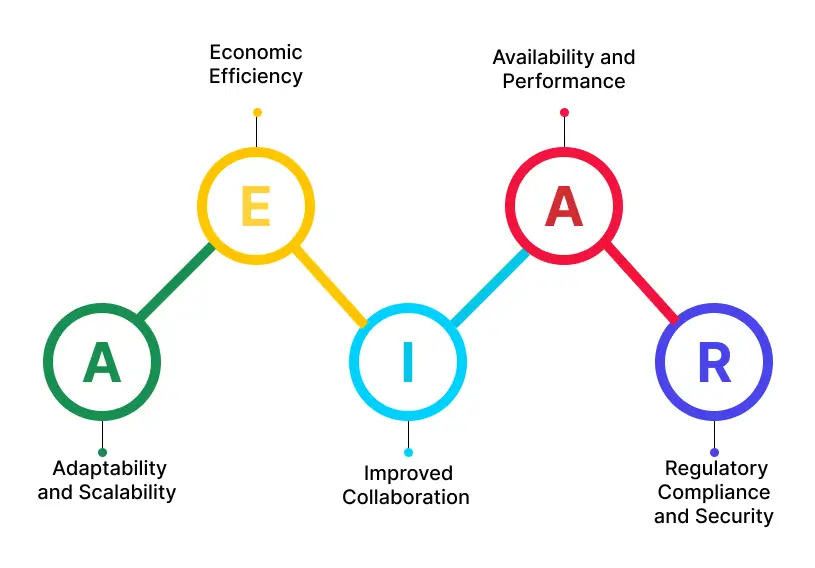
1. Adaptability and Scalability
The cloud hosting platform enables a company or a business to scale up or down based on their needs. This is likely to lead to businesses going over and beyond during peak periods, then scaling back during lean periods to maximize the use of resources.
2. Economic Efficiency
Most of the benefits associated with cloud hosting can be attributed to its cost efficiency. As a result, businesses are able to avoid incurring large upfront expenses for the acquisition and maintenance of their physical servers and infrastructure. In essence, users are charged for the services they consume, primarily by membership or by pay-as-you-go plans.
3. Improved Collaboration
Cloud hosting allows users to collaborate more effectively because they have access to files and applications anywhere they have an internet connection. In this way, remote work can be undertaken easily, with members of the team collaborating in real time regardless of their physical location.
4. Availability and Performance
The infrastructure of cloud service providers is robust, in addition to providing high uptimes and performance assurances. It is generally the case that all data is duplicated in different data centers; therefore, malfunctioning hardware or another problem would not lead to data loss.
5. Regulatory Compliance and Security
Several high-security measures are used by these providers to protect the data they store, including encryption, firewalls, and access controls. These companies comply with several industry standards and regulations, including GDPR, HIPAA, and PCI-DSS.
Which are the Best Cloud Storage for Personal Use and Professional Use of Google Cloud Computing Services ?
Best cloud storage for personal use can be selected based on their storage capacity, security features, accessibility modes, and, of course, price. For both personal and professional purposes, these factors should be taken into account.
Accessibility and affordability may be crucial requirements for personal use, whereas robust security, collaboration tools, and scalability may be more important requirements for professional use.
The following are some of the best options:
1. Google Drive
- Easy Integration With Google Workspace: Since it is easily integrated with Google Docs, Sheets, and Slides, it is a great tool for users who already use Google products.
- Large Free Storage: 15 GB of free storage is provided by this service, which is much more than most other free plans offer, although you can upgrade at an affordable price for more space.
2. Dropbox
- User-Friendly Interface: The interface provides a simple and intuitive way of navigating files.
- Sturdy File Sharing: It provides reliable file synchronization and sharing options; even large files can be shared with non-Dropbox users.
3. Microsoft OneDrive
- Good Microsoft Office Integration: OneDrive is compatible with Microsoft Office apps, allowing users to modify and share reports directly from the environment.
- Competitive Pricing: Offers a variety of capacity plans that are abundantly stocked with Microsoft 365 supporters. As a result, endorsers find it worthwhile.
4. iCloud
- Tight integration Across Apple Gadgets: This is the perfect solution for Apple users who want their iPhones, iPads, Macs, and any other Apple device to synchronize seamlessly.
- Share Files Easily: Share photos, documents, or whatever in a very comfortable way thanks to shared albums and folders with friends and family.
5. Box
- Next-Generation Security: The software has enterprise-grade security along with advanced encryption, detailed access control, and compliance certifications.
Advanced Tools for Collaboration: As a business-oriented tool, Box comes with an excellent collection of teamwork tools, such as task flows and workflow automation.
Conclusion
As a result, cloud computing has transformed modern business activities by unlocking unprecedented levels of flexibility, efficiency, and innovation. Businesses can enhance productivity, agility, and cost savings by leveraging the capabilities of top cloud service providers like Google Cloud.
In either case, cloud storage ensures secure, scalable, and accessible data management, whether for personal use with user-friendly solutions like Google Drive or Dropbox or for business use with robust solutions like Microsoft OneDrive and Box. Eiy sys offers customized cloud solutions to fit any company’s specific needs.
Eiy sys make sure that your company can take full advantage of cloud computing with our proficiency in security, artificial intelligence integration, cloud infrastructure, and cost management.
Frequently Asked Questions
Cloud computing provides small businesses with access to enterprise-level technology at a lower cost, improves collaboration and productivity, and eliminates hardware and infrastructure investments.
Many cloud providers invest heavily in security measures, including encryption, access controls, and regular security updates. It is also important for businesses to implement their own security practices and adhere to regulations in order to protect their customers' data.
By enabling multiple users to work on the same documents or projects simultaneously, cloud computing facilitates real-time collaboration. Collaboration tools, collaborative editing tools, and integrated communication platforms facilitate teamwork and streamline workflows.
By providing access to critical applications and data from anywhere with an internet connection, cloud computing ensures business continuity. As a result, employees are able to collaborate and perform their tasks from wherever they are, regardless of their physical location. As well as reducing the risk of data loss or hardware failure, cloud-based backups and recovery solutions also help mitigate data loss risks.