This blog will guide you through creating a Slack using Rocket.Chat and deploy it with Docker and Kubernetes. Before, we were running Rocket.Chat on OpenStack instances in our on-premises setup.
But now, we’ve switched to using Docker and Rocket Chat Kubernetes for easier management and scaling. Docker is a tool that lets developers and system admins build, ship, and run applications on different platforms like laptops, virtual machines, or the cloud. Kubernetes helps to manage and deploy containers, making it simple to organise and scale applications.
This blog will guide you through setting up Rocket. Chat Kubernetes in this new container-based system.
What Are The Benefits Of Using Kubernetes For Deploying Chat Applications?
The benefits of using kubernetes for deploying chat applications are :
- Boosts Business Productivity : Kubernetes Chat automates the deployment, scaling, and management of containerized apps, saving time and reducing errors, allowing teams to focus on delivering value.
- Supports Multi-Cloud : It enables seamless deployment across multiple cloud providers, eliminating vendor lock-in and allowing you to scale apps as needed.
- Cost-Effective : Kubernetes is affordable, offering a low-cost cluster management fee, helping businesses create efficient digital solutions at a great price.
- Improves Stability : Kubernetes Chat ensures the stability of applications, making it reliable even for complex or feature-rich systems.
- Simplifies Software Updates : It allows for easy rolling updates and quick rollbacks, minimising downtime during updates and ensuring continuous app availability.
- Free and Open Source :
Kubernetes is open-source and supported by a large community, allowing you to use and modify it freely. - Highly Flexible : It works with multiple container runtimes and infrastructures, giving you the flexibility to build scalable solutions.
- Free Cloud-Native Management Tools : Kubernetes provides auto-scaling, load balancing, service discovery, and other cloud-native tools for scalable, reliable app deployment.
- Plenty of Resources Online : A large community means there are plenty of online resources and solutions available for troubleshooting.
- Large and Active Community : The Kubernetes community is vast and dedicated, constantly improving the platform and offering support.
- Proven and Reliable : Kubernetes has been used in production for years, ensuring stability and reliability at scale.
- Offers Automation : Kubernetes automates container management, scaling, and infrastructure adjustments, making administration easier.
- Self-Healing Systems : Kubernetes automatically replaces failed containers and recreates them on healthy servers, ensuring the desired state is maintained.
- Horizontal Scaling : Kubernetes allows you to easily scale your application by adjusting the number of containers based on demand, ensuring optimal performance.
- Better Uptime : Kubernetes automatically replaces failed containers, ensuring applications have minimal downtime and high availability.
What Are The Steps To Set Up Rocket Chat On A Server?
1. Install Snap: First, install Snap on your system
2. Install Rocket.Chat: To install Rocket.Chat, use the command sudo snap install rocketchat-server.
3. Create an Account:Register by providing your name, email, and a password.
4. Set up a Reverse Proxy Server: Configure a reverse proxy server for the application.
5. Create an NGINX Site Configuration File: Set up a new configuration file for NGINX.
6. Enable the Site Configuration: Activate the newly created site configuration.
7. Restart the NGINX Server: Restart the NGINX server to apply changes.
8. Deploy with DigitalOcean: To deploy on DigitalOcean, follow these steps:
- Log in to your DigitalOcean account.
- Navigate to the Rocket.Chat app on the DigitalOcean marketplace.
- Click “Create Rocket.Chat Droplet.”
- Configure the droplet according to your preferences.
9. Set up Your Workspace: Use the Setup Wizard to create and manage your workspace.
10. Create an Administrator Account: Enter the required user information to set up the admin account.
11. Deploy with CentOS: Secure your MongoDB instances and restrict all MongoDB ports from public access.
12. Deploy on Windows 10: Ensure that your system meets the requirements of at least 4 GB of memory and 20 GB of disk space, preferably SSD.
13. Deploy with AWS: To complete the Rocket.Chat Setup on AWS, set it up on an EC2 instance.
How Can Kubernetes Help In Managing A Containerized Chat App?
Kubernetes is a well-known platform used to manage containerized applications, providing several key benefits for running a Containerized Chat application, such as:
- Deployment and Scaling
Kubernetes can automatically adjust the scale of applications based on factors like CPU and memory usage. It also ensures that applications, including a Containerized Chat, are deployed quickly and predictably. - Monitoring
It keeps track of your applications, automatically restarting any containers that encounter issues or fail to run properly. - Disaster Recovery
Kubernetes offers features to help recover your infrastructure in case of problems like data loss or server failures. - Application Upgrades
With Kubernetes, you can upgrade applications without interrupting service, using a rolling update method. - Declarative System
Kubernetes follows a declarative approach, allowing you to specify how you want things to be configured through a YAML file. - Collaboration with Docker
Kubernetes works in tandem with Docker while Docker is responsible for creating the containers, Kubernetes manages their deployment and scaling.
What Are The Benefits Of Using Rocket Chat Kubernetes?
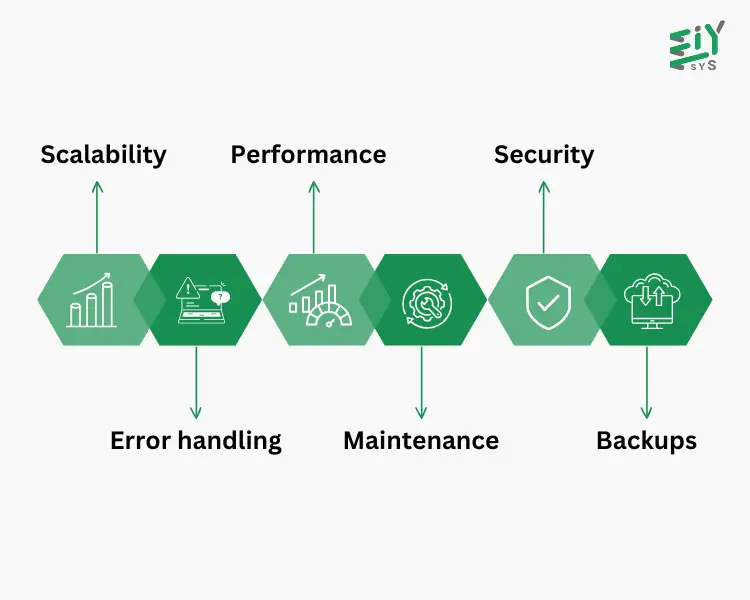
- Scalability: By using Rocket Chat Kubernetes and microservices, you can greatly enhance the scalability of your workspace.
- Error handling: Microservices improve the error management process in your workspace when integrated with Rocket Chat Kubernetes.
- Performance: Breaking down Rocket.Chat into smaller services can lead to better performance.
- Maintenance: Dividing Rocket.Chat into individual services makes it easier to maintain.
- Security: The Rocket.Chat cloud, built on Kubernetes and Docker, ensures that each instance runs in a secure, isolated environment.
- Backups: Rocket.Chat cloud offers flexible backup options, with daily, twice-daily, or hourly backups available.
How does Kubernetes Deployment work?
A Kubernetes Deployment is responsible for managing identical copies of pods, making sure the required number of pods are always running.
Lets know how they work :
- You create a Kubernetes Deployment resource where you specify the desired state of the application, such as the number of pods and the container image to be used.
- Kubernetes will then create the required number of pod replicas based on the template you defined.
- The Deployment controller continuously checks the state of the replicas to ensure the correct numbers are running. If any replica fails or stops, it will automatically create a new one to replace it.
- When you update the Deployment with a new container image or configuration, Kubernetes carries out a rolling update, replacing the old replicas with the new ones in stages to avoid downtime.
- If there are issues with the updated version, you can roll back to the previous version using the rollback feature.
- The number of replicas can also be adjusted up or down to accommodate changes in traffic or other needs, allowing the Kubernetes Deployment to scale effectively.
What Is Real-Time Communication?
- Real-Time Communication (RTC) is a method that enables devices to communicate instantly without any delays, using a peer-to-peer system.
- Some examples of RTC include the Internet, landlines, mobile phones, instant messaging, Internet relay chat, video calls, teleconferencing, and robotic telepresence.
- In contrast, channels like email, bulletin boards, and blogs are not considered RTC because they involve time-shifted communication, where there is a noticeable delay between sending and receiving information.
Conclusion
At EIY Sys, we understand the importance of utilising cutting-edge technologies like Rocket Chat Kubernetes to boost the scalability and efficiency of your communication systems. By integrating Kubernetes Chat, businesses can easily manage their chat applications. Whether you’re going through the Rocket Chat Setup process or deploying it in a Containerized Chat setup, Kubernetes helps ensure top-notch performance and availability. With Kubernetes Deployment, scaling applications is effortless, allowing for smooth updates and minimal downtime.
Moreover, Real-time communication becomes more reliable, enabling teams to collaborate without interruptions. These tools empower businesses to streamline their operations and improve communication on every level.
Frequently Asked Questions
Kubernetes is a platform that automates the management of containerized applications. It simplifies the deployment, scaling, and upkeep of chat applications like Rocket.Chat, ensuring they remain stable, reliable, and scalable.
Rocket.Chat can be deployed on Kubernetes to take full advantage of container orchestration. Kubernetes helps manage Rocket.Chat’s instances by scaling them, handling maintenance, and improving performance, especially when dealing with larger user groups.
Setting up Rocket.Chat involves installing Snap, configuring the Rocket.Chat server, setting up a reverse proxy with NGINX, creating an admin account, and deploying the application on platforms like DigitalOcean or AWS.
RTC allows for immediate, uninterrupted communication, which is essential for services like Rocket.Chat. It powers instant messaging, video calls, and collaboration tools, making it ideal for team communication.
Docker is responsible for creating the containerized versions of Rocket.Chat, while Kubernetes takes care of orchestrating these containers, managing their scaling, and ensuring they are properly deployed, providing a seamless and scalable experience.