In the rapidly changing work environment today, collaboration is thus an integral part of achieving team goals. Zoho Workplace labels itself as the ultimate solution that brings organisations improved productivity and optimised operations. The functionalities included are targeted towards helping remote teams have one-stop resources for communication, increased efficiency, and teamwork. Whether it is a means to manage email using Zoho Mail or remote working tools, Zoho Workplace has been designed exclusively for the modern work setting.
Zoho Workplace comprises a broad list of productivity apps intended for agile teams. From cloud-based applications to collaborate on documents to integrated applications for team communication, every function in the software is concerned with maximising the efficiency of operations. Its friendly user interface ensures that teamwork goes on effectively, either within an office or remotely. As more concentration has been put on tools for remote work in organisations, Zoho Workplace ensures that teams stay focused and productive beyond geographical location.
Zoho Workplace provides teams with a wide range of solutions that look to improve workflow effectiveness. Zoho Mail ensures proper communication. Moreover, with the support of team communication tools fully integrated, collaborative efforts are promoted further. This productivity tool enables teams to be at the helm of tasks, exchange documents, and make real-time decisions. Besides solving the problems regarding remote work, Zoho Workplace breaks all past collaboration practices as a necessary collaboration suite for organisations.
How Does Zoho Workplace Simplify Remote Work Tools for Teams?
A single workspace for team collaboration simplifies working from remote locations with Zoho Workplace. Applications such as Zoho Mail enable employees to communicate effectively and accurately manage their activities. Integration of the remote work tools ensures that work is delivered consistently without compromise, even though team members are working at different locations. Such an integrated solution does away with the complexity of having to switch between so many applications.
An important feature of Zoho Workplace is the ability to combine workflows. Remote teams often face challenges when working with disjoined systems; however, this tool combines productivity apps, cloud storage solutions, and communication tools for teams into one framework. Zoho Mail better controls email communications; remote work-specific tools, such as project tracking, help bring teams into agreement over goals and timelines, which helps the overall cohesion of workflow.
Zoho Workplace offers other possible capabilities of teamwork with more developed collaborative functionality. The suite covers solutions specifically targeting distributed working environments, such as virtual meetings and secure document sharing. Productivity applications—shared workspaces or real-time collaboration—help keep team members connected. With Zoho Workplace, organisations can address the headaches associated with the tool of remote work, therefore ensuring that collective efforts are uninterrupted and effective.
What Features in Zoho Workplace Boost Productivity Efficiently?
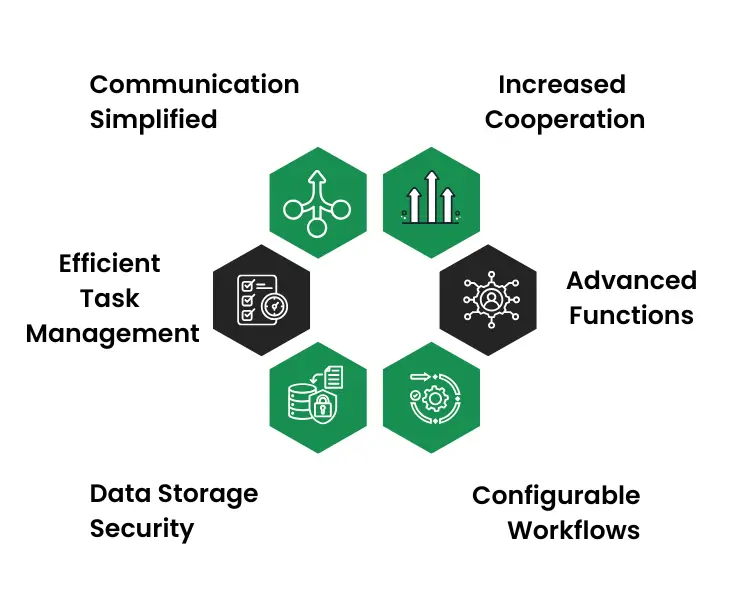
1. Communication Simplified
It centralises all communication in one place and integrates Zoho Mail with other features. This productivity software improves workflows by enabling teams to share data quickly and effectively. With these tools, seamless team communication results, while the possibility of delays in making decisions is minimised, thereby creating a cohesive working environment.
2. Increased Cooperation
That is achieved by features such as document sharing and real-time editing to encourage collaboration. Even remote-working tools can ensure that distant teams can cooperate easily. Thus, such features may eliminate space barriers so that teams can work on any project from any place in the world.
3. Efficient Task Management
Zoho Workplace enhances the management of tasks through user-friendly productivity software. Managers have the capability to allocate tasks, establish deadlines, and monitor progress, while team members benefit from immediate updates. Such functionalities enhance accountability and assist teams in achieving their goals effectively.
4. Advanced Functions
Video Conferencing Zoho Workplace provides functionality for conducting virtual meetings and webinars. Remote working tools—including video conferencing—simplify communication between geographically dispersed teams. productivity software resources also help make meetings more productive and effective, thanks to the session recording and screen-sharing capabilities.
5. Data Storage Security
The platform provides encrypted cloud storage that is both secure and accessible. Zoho Workplace does protect sensitive business information, which makes it a better choice for businesses dealing with sensitive data. team communication tools can safely share files and access them from anywhere.
6. Configurable Workflows
Zoho Workplace caters to the specific needs of the business with automation and personalisation options. Teams can develop workflows that fit their operations. Thus, they save time and minimise efforts on certain manual activities, improving the flexibility and efficiency of operations.
How Can Team Communication Tools in Zoho Workplace Drive Success?
Communication within the team is among the success factors, and Zoho Workplace performs excellently by providing resources that will facilitate this process. From simple Zoho Mail to full chat systems, the platform ensures sharing of information among team members is effortless. It also contains team communication tools that are helpful for remote working in connecting in-office personnel and remote employees toward a cohesive workflow.
- Consolidated Messaging: All your emails, chats, and updates in one place, arranged to be better ordered and less chaotic.
- Collaborative Real-time Environment: Use live chatting and video conferencing for more vigorous and productive discussions.
- The mail contains email support: Using Zoho Mail smoothes emailing, thus accelerating the speed of communication and prioritising tasks.
- Secure File Sharing: Share files within the system under advanced encryption to secure your data.
- Task Update: Real-time collaboration on teams with task updates and notifications tracking.
- Scalability: The more the number of teams, the more the scalability of the capacity of communication tools that Zoho Workplace provides.
Conclusion
In conclusion, Zoho Workplace is a very flexible collaboration suite catering to the needs of modern enterprises. This system keeps teams connected and productive by combining the capabilities of Zoho Mail, remote work tools, and applications of productivity. As such, it proves an important tool for an organisation as a resource that helps organisations improve team communication mechanisms or optimise workflows.
Zoho Workplace is revolutionising productivity for modern teams with its versatile collaboration tools. At EIY SYS, we specialise in empowering businesses to optimise workflows and enhance team efficiency with this all-in-one platform. By integrating Zoho Workplace, companies can streamline communication, simplify task management, and boost productivity while maintaining a seamless workflow for diverse operational needs.
Frequently Asked Questions
Zoho Workplace is a comprehensive suite of tools designed for team collaboration and productivity. It simplifies workflows, integrates Zoho Mail for communication, and offers remote work tools to enhance efficiency. This suite is ideal for organizations seeking to streamline operations and foster seamless communication.
Zoho Workplace boosts productivity with integrated tools like Zoho Mail and shared workspaces. These tools help teams manage tasks, collaborate on projects, and maintain clear communication, even in remote settings. Its productivity software ensures alignment and efficiency across all team activities.
Yes, Zoho Workplace is tailored for remote teams. Its remote work tools, such as virtual meeting platforms and cloud-based collaboration, ensure that teams can work efficiently, regardless of location. The platform also includes robust team communication tools to keep everyone connected.
Zoho Workplace prioritizes security with encrypted cloud storage and access control features. Teams can safely share files, manage communications through Zoho Mail, and use productivity software without compromising data integrity.