Whether you are a developer or the founder of a startup, you might have to make the choice that is best for your firm. If you’re considering how Flutter more closely aligns with our corporate objectives? We are here to offer the most trustworthy and insightful information on Flutter App Development precisely in that situation. This blog will teach you how to create apps that are more beautiful, faster and have outstanding performance without breaking the bank. Here is the greatest foundation for developing mobile apps successfully in 2024.
What is Flutter?
Flutter is an open source framework that developers and organizations worldwide can use for free. Flutter’s previous iteration, Sky, was limited to use on the Android operating system. With the help of this new mobile UI framework, developers of iOS and Android mobile apps will be able to produce native interfaces of the highest caliber. Mobile app developers will find it simple to create fluid, reactive user interfaces for their apps thanks to Google Flutter’s framework. Additionally, this will lessen the amount of code needed to update and synchronize the app’s view. The object-oriented C-style language Dart, created by Lars Bak and Kasper Lund at Google, forms the foundation for Flutter. When Dart was first unveiled in 2011, its goal was to provide structured programming to the web. Flutter facilitates the process of beginning to develop beautiful apps by offering an extensive collection of Material Design widgets and Cupertino (iOS) behaviors. Customers will adore the organic appearance and feel of apps created with Flutter since it incorporates features like scrolling, typefaces, platform-specific navigation patterns and much more.
What Are the Benefits of Flutter?
1. Quicker Growth
With the Google Flutter framework’s high-velocity development tool, Hot Reload, you can create a vibrant mobile app in a matter of milliseconds. With the integrated tooling and extensive, fully-customizable widget set of this new reactive framework, creating native interfaces may be completed in a matter of minutes. Employ our Flutter Developer to create cross-platform mobile apps more quickly and easily.
2. UI that is expressive and adaptable
With an emphasis on native end-user experiences, Google Flutter provides rich widget sets, extensive animation libraries and an array of expressive and adaptable designs. The framework’s deep layered architecture enables N-level customisation and incredibly fast rendering.
3. Original Software
In order to provide completely native performance on both Android and iOS, the widgets of the new mobile UI framework, Google Flutter, encompass all significant platform differences, including navigation, scrolling, icons, typefaces and more. With native ARM code runtime, high-performance, portable, GPU-accelerated renderer and interoperability, mobile app developers may take advantage of high-quality experiences across platforms and devices.
4. Integrated Application Development
The APIs and tools in Flutter make it simple for app developers to realize their ideas for iOS and Android. Google Flutter offers a quick and simple approach for anyone without any prior expertise developing mobile apps to create fantastic mobile applications.
What are the Procedures in Developing a Flutter App?
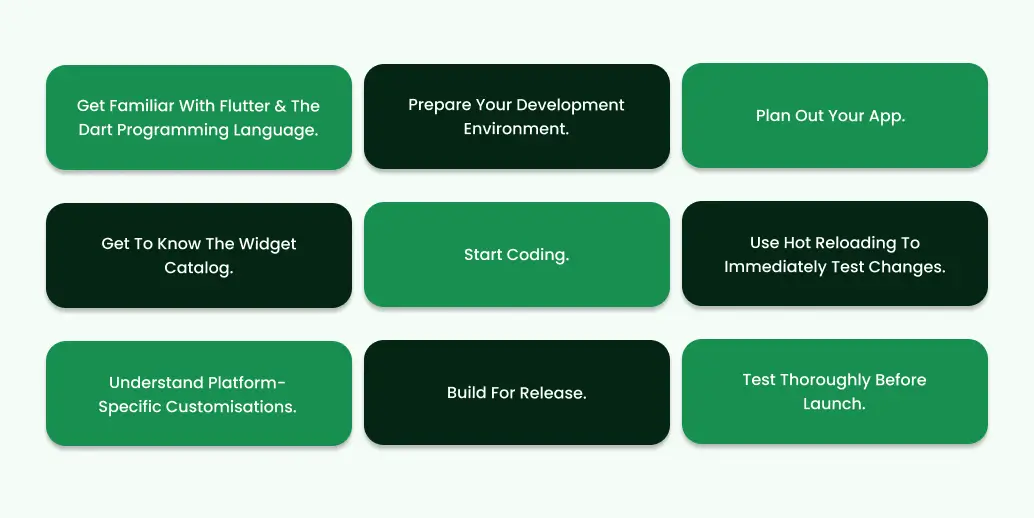
1. Get familiar with Flutter and the Dart programming language.
Before you begin developing Flutter apps, you should first learn what Flutter is and the fundamentals of Dart programming.
Learning the ins and outs of Flutter and the Dart programming language will be critical to your success in this endeavour, whether you’re developing native apps, flutter mobile apps, or online applications.
To create a successful mobile app, you must first learn the widgets, architecture, development tools and best practices that come with mastering Flutter. Understanding your development environment may need some initial effort, but it will be important as you construct a wonderful result.
2. Prepare your development environment.
Install the SDKs and tools required for working with Flutter, such as Android Studio or IntelliJ IDEA.
Begin by downloading and installing the basic Flutter SDK, then use your favourite code editor to start developing apps! With both open-source and commercial integrated development environments available, selecting the best option is critical.
Once installed, use Flutter’s rich documentation to start your project! With a few mouse clicks, you can start developing apps with Flutter.
Using best practices like automated testing, performance testing and exploratory testing throughout the development cycle can help find improvement opportunities before launch, saving money and problems afterwards.
3. Plan out your app.
Before you begin developing the app, decide how it should look and what features it should include.
Yes! Before you start using Flutter development tools (or contact a Flutter development service), make sure you have a plan in place. Take some time to plan out the specific features that should be included in your app.
Do you need any authentication flows? Will users have specific access levels? How about user management? Obtain all of the answers to these questions before beginning the development process. This will assist and guide you through the coding process, allowing you to create efficient and high-quality applications.
4. Get to know the Widget Catalog.
The Widgets Catalog contains all of the key UI elements seen in Flutter apps, so become acquainted with these widgets to better grasp how they function. Native widgets are pre-built and ready to add to your program. Furthermore, you may always alter them as needed when developing apps.
Developing a Flutter app requires you to demonstrate both your creative and technical skills, so don’t be intimidated. This is where your creativity and coding skills will shine: use Flutter widgets to personalize the appearance of your app, access native functions such as Bluetooth and Camera and much more.
Once you’ve mastered the Widgets Catalog, you’ll be ready to create an incredible Flutter app.
5. Start coding.
Begin developing your code in the Dart language and testing it on an emulator or device to ensure its functionality.
Writing code is the most fun part of developing your Flutter project, but don’t be fooled into believing it will be simple. Consider the task at hand and break it down into manageable parts, planning each step until you get the intended result.
6. Use hot reloading to immediately test changes.
Hot reloading enables developers to make changes to their app’s code in real time without having to restart their application – a crucial feature when developing a complicated user interface or swiftly diagnosing bugs.
Flutter is one of the most easy and powerful mobile development platforms available, allowing you to take your app from concept to reality. Flutter’s ability to test changes in your code instantaneously via hot reloading is a nice feature.
Hot reloading allows you to observe real-time adjustments to the user interface as you change variables, update functions, or add features. It’s a powerful feature that boosts coding productivity while maintaining responsiveness throughout the design process.
7. Understand platform-specific customisations.
Determine which features are accessible for each mobile platform you’ll be supporting (Android and iOS), as well as whether any special customizations are required for certain platform versions.
Understanding how to develop for different platforms is critical. However, creating a successful Flutter app necessitates an awareness of platform-specific customizations unique to Android and iOS.
Font size, widgets and other visual components should be platform-specific. It’s also critical to ensure that the application is optimized for various device types; the design may not appear great on phones with huge screens or tablets. Overall, when it comes to Flutter app development services, it is best to become familiar with platform-specific customizations.
8. Build for release.
Compile your app for distribution using Android Studio or Xcode, then distribute it through the Google Play Store or Apple App Store, respectively.If you’ve made it this far and everything seems good, it’s time to prepare your successful software for release! Before you do that, go over all of the settings for your release version of the app and make sure that all of the necessary setups are accurate.
This will save you a lot of problems in the long run and result in an optimized user experience, which everyone appreciates! With everything checked off and complete confidence and focus, get to BUILD and revel in the glory of creating your own Flutter app.
9. Test thoroughly before launch.
Use a variety of testing methodologies, like unit testing, integration testing and end-to-end testing, to confirm that your application works well on both platforms before releasing it to the public.
It is essentially the final step before launch and it is required to ensure that your program operates as intended once it is in the hands of the user.
Conclusion
To survive in this extremely competitive market, it is obvious that you want an out-of-the-box software idea. Flutter has effectively completed its initial stage and is improving with each passing day, making it one of the top app development platforms with all of its benefits. As previously stated, if you operate a startup or have a limited budget, RevInfotech may help you with Flutter App Development Services. Hire our top Flutter mobile app developers to help your business flourish on a tight budget.
Though it faces a number of challenges, it is a shining star in the Flutter sky. It is up to you to choose the right star from among them. We Eiy sys will leverage this technology to advance a step ahead of others. Do you feel ready? Then buckle up and begin your journey with Eiy sys.
Frequently Asked Questions
Google's Flutter is an open-source UI toolkit that enables developers to build natively built mobile, web and desktop applications from a single codebase.
Begin by installing the Flutter SDK, launching an editor such as Visual Studio Code or Android Studio and following the official Flutter tutorial for a basic project setup.
Flutter provides rapid development with hot reload, a large number of pre-designed widgets and high performance, resulting in beautiful and responsive UIs across platforms.
Yes, Flutter can construct applications for mobile, web and desktop, making it suitable for cross-platform development.