Zoho Integration is a game-changer for businesses looking to simplify their processes and build stronger connections with customers. A good CRM (Customer Relationship Management) system can do wonders by helping businesses manage sales opportunities, track customer interactions, and provide valuable insights.
It’s no surprise that 91% of companies with more than 11 employees rely on a CRM to stay organized and efficient. Among the top options, Zoho CRM stands out. It combines everything from sales and marketing to finance and HR. What makes it even better is how Zoho integration seamlessly works with other tools, making it easier to boost sales and improve overall performance.
With its powerful features and flexibility, Zoho CRM is a great choice for businesses that want to grow, streamline their operations, and create lasting customer relationships.
What Are Third-Party Tools?
- Third-party tools refer to hardware or software created by a company other than the original product manufacturer.
- For example, a battery case for an iPhone made by a company other than Apple is an example of third-party tools.
- These third-party tools are designed to enhance the performance or functionality of the primary product.
How To Implement Software Integrations ?
The following covers the key elements of the software integrations process, including:
- Choosing the software to integrate: It emphasizes the importance of identifying the software your business currently uses, whether it’s in-house or cloud-based SaaS solutions. The response also suggests exploring pre-built enterprise software integrations available on platforms like HubSpot’s App Marketplace, which can simplify the process.
- Identifying integration software needs: It offers a clear explanation of how APIs work in software integrations, breaking down the various types of integration—native, custom, and third-party. This helps businesses choose the best option for integrating their systems.
- Determining the type of data to integrate: The explanation about how to identify and categorize data from different tools, such as CRM and accounting software, is key. It stresses the importance of understanding how different data structures interact and how the right integrations can help these systems work together effectively.
What Are Zoho Apps?
- Zoho is a cloud-based software suite, much like Microsoft Office or Google Workspace.
- It offers a wide array of business and productivity tools, ranging from sales and marketing to finance, legal, IT, and analytics.
- With more than 70 different Zoho apps available, it’s often compared to a Swiss army knife due to its versatility.
- Zoho apps cater to a variety of business needs, making it a one-stop solution for companies looking to streamline their operations.
Why Is CRM Integration Important ?
System integration is vital for businesses as it significantly boosts employee productivity, enhances decision-making, and improves overall operational efficiency. CRM integration plays an essential role in this process, particularly in refining customer relationship management. When businesses adopt CRM software with robust integration capabilities, they can simplify workflows, improve data accuracy, and gain deeper insights into customer behavior. Through effective CRM integration, businesses can connect different tools and departments, fostering better collaboration, automating repetitive tasks, and ultimately delivering superior customer service while driving growth.
How Do Zoho Integration Enhance Business Operations?
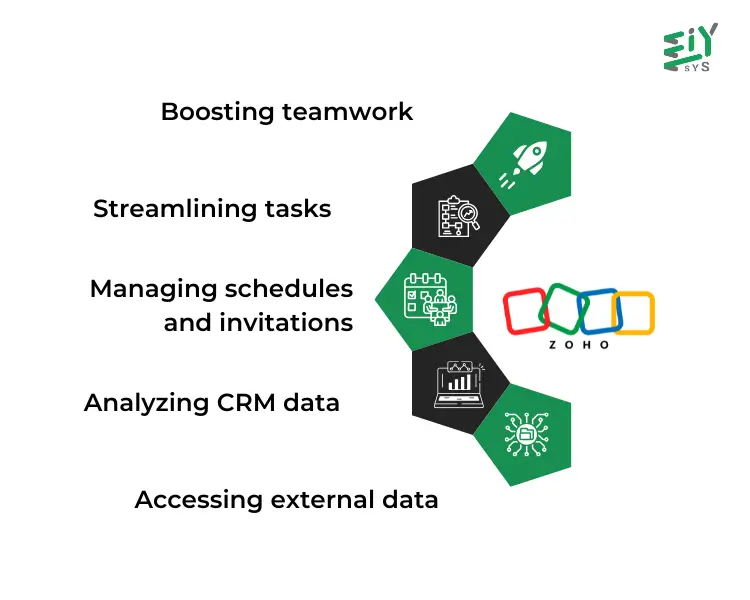
Zoho integrations can significantly enhance business operations in various ways:
- Boosting teamwork: With Zoho integrations, such as Zoho Forms, teams can access shared data and insights, which helps improve collaboration and ensures alignment across departments.
- Streamlining tasks: Zoho CRM integrates with over 950 apps to automate routine processes, reducing manual efforts and increasing operational efficiency.
- Managing schedules and invitations: Zoho CRM also integrates seamlessly with Outlook and Google Calendar, making it easy to schedule meetings and send invites to clients and customers.
- Analyzing CRM data: Zoho’s AI assistant, Zia, provides valuable insights by analyzing CRM data for sales forecasting, churn prediction, and competitor analysis.
- Accessing external data: The Integration field in Zoho Creator allows businesses to pull data from other services, whether it’s another Zoho app or third-party SaaS platforms, creating a unified view of your business data.
What Are Automation Tools?
Automation technology is advancing rapidly, and business leaders are now tasked with deciding which areas to automate and choosing the best tools for the job. By digitizing workflows and utilizing AI, we can discover automation opportunities that were once hidden. These technologies can process vast amounts of data far quicker than humans, allowing businesses to work more efficiently. Automation enables a seamless collaboration between people and machines, resulting in a more productive workforce.
Test automation tools are software designed to set up and run software testing tasks with minimal human input. Unlike manual testing, these automation tools save time and improve accuracy, reducing human error. With the growing demand for automation in the IT sector, there are now numerous automation tools available to meet different needs.
Conclusion
To wrap things up, EIY SYS recognizes the many benefits that Zoho integrations offer to businesses, simplifying processes and boosting overall efficiency. By integrating Zoho apps with other third-party tools, businesses can enhance teamwork, streamline tasks, and support growth. When it comes to CRM integration, companies can improve their customer relationships by ensuring that data is accurate and easily accessible across different systems.
Additionally, software integrations make it easier to connect various applications, while automation tools help automate routine tasks and reduce errors. Embracing these technologies allows businesses to work smarter, increase productivity, and maintain a competitive edge in today’s fast-paced digital landscape.
Frequently Asked Questions
Zoho integrations allow businesses to connect Zoho applications with other tools they use, making it easier to streamline processes, boost teamwork, and improve overall performance. By linking different systems, businesses can automate tasks, access important data from multiple sources, and gain valuable insights that drive growth.
CRM integration is key for connecting various systems, ensuring that customer data is accurate and easy to access across platforms. This not only streamlines internal workflows but also helps teams work better together, leading to a deeper understanding of customers and better service overall.
Zoho apps offer a wide range of tools that help businesses handle everything from sales to marketing, finance, and HR, all in one place. With over 70 apps to choose from, Zoho is an all-in-one solution that can help businesses run more smoothly and improve their efficiency by automating various tasks.
Automation tools use technology and artificial intelligence to take care of repetitive tasks, saving time and cutting down on mistakes. By automating routine processes, businesses can improve accuracy, increase productivity, and let their teams focus on more valuable, strategic work.
Zoho integrations help businesses run more efficiently by making it easy to collaborate, automate everyday tasks, and keep data flowing seamlessly between different applications. With tools like Zoho CRM and Zoho Forms, businesses can manage their schedules, analyze customer data, and pull in information from other sources to make better decisions and work smarter.